What Is Shadow AI? The Risk for SMBs and How to Handle It
Shadow AI is staff using AI tools the company never approved. What it costs, how to find it, and why a sanctioned tool works better than a ban.

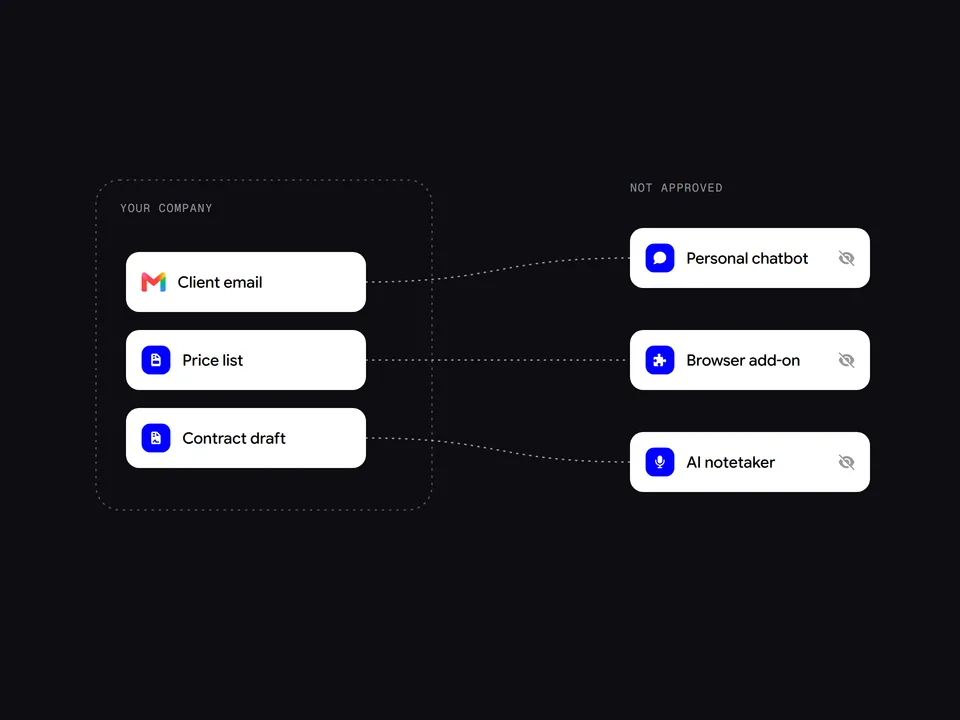
Table of Contents
- What does shadow AI look like in practice?
- How common is shadow AI?
- What does shadow AI cost?
- Why do employees use AI tools nobody approved?
- Why does banning AI tools make shadow AI worse?
- How do we find shadow AI in our company?
- How do we handle shadow AI? A 30-day plan
- How does a Company Brain reduce shadow AI?
- Frequently asked questions
This post explains what shadow AI looks like in a small or mid-sized company, what it costs, how to find it, and a 30-day plan to bring it under control. For the full AI policy (approved tools, data rules, human review, the EU AI Act), read our AI governance guide for SMBs. Shadow AI is one part of running AI well across the company. The pillar guide, AI Workflow Automation for SMBs, covers the rest.
What does shadow AI look like in practice?
Shadow AI is the AI-era form of “shadow IT,” when staff signed up for unapproved software on a company card. The difference is what leaks. Shadow IT leaked a subscription. Shadow AI leaks the content of the business: the documents, figures, and client details that people paste in to get an answer.
It comes in more forms than most leaders expect:
| Form | Example | Why it is easy to miss |
|---|---|---|
| Personal chatbot accounts | An employee pastes a client email into a free chatbot to draft a reply | It runs in a browser tab, on a personal login |
| AI browser extensions | A writing or summary extension that reads every page the user opens | Installed in seconds, no purchase needed |
| AI notetakers on calls | A bot joins client meetings, records them, and stores transcripts on its own servers | It joins through a calendar invite, often from the other side of the call |
| AI features inside approved tools | A new AI assistant switched on in the CRM, drive, or email suite | The tool is approved, so nobody checks the new feature |
| AI tools paid on a card | A team buys a subscription and expenses it | It looks like any other small software cost |
The last two forms surprise people most. An approved vendor can add AI features that send your data to a model provider you never reviewed. So “we only use approved tools” does not mean “we have no shadow AI.”
How common is shadow AI?
Very common. In a BlackFog survey of 2,000 employees in the US and UK, run by Sapio Research in November 2025, 86% said they use AI tools at least weekly for work. 49% said they use AI tools their employer has not sanctioned. Of those using unapproved tools, 58% rely on free versions. The survey covered companies with more than 500 employees, so smaller firms have no direct figure. They also rarely have the controls that larger firms use to catch it.
A separate global survey of 6,000 employees by Lenovo, reported by Help Net Security, found that between one-fifth and one-third of workers use AI outside IT governance. The headline finding: 31% of users get no AI training from their employer.
The people at the top are part of it. In the same BlackFog survey, 69% of presidents and C-level respondents said speed matters more than privacy or security. Only 37% of administrative staff said the same. Shadow AI is not a junior-staff problem. Often the people who should set the rules are the ones who skip them.
What does shadow AI cost?
The best-sourced figure comes from IBM. In its 2025 Cost of a Data Breach research, IBM found:
- Organizations with high levels of shadow AI paid an average of $670,000 more per breach than those with a low level or none.
- One in five organizations reported a breach due to shadow AI.
- Only 37% have policies to manage AI or detect shadow AI.
- 63% of breached organizations either had no AI governance policy or were still writing one.
- Incidents that involved shadow AI exposed more personal data (65%) and intellectual property (40%) than the global average (53% and 33%).
Read the $670,000 carefully. It is the extra cost of one breach at a company with a lot of shadow AI, compared with a company with little or none. It is not a yearly cost, and it does not say how likely a breach is.
A breach is not the only cost. Three others arrive more quietly:
- Wrong answers that reach clients. Nobody reviews output from a tool the company does not know about. A made-up figure in a proposal is a quality problem first and a trust problem second.
- Compliance exposure. Client personal data in an unvetted tool can break GDPR duties or a confidentiality clause in a client contract.
- Knowledge that leaves with the person. Work done in a personal AI account (prompts, drafts, summaries) stays in that account. When the employee leaves, the company loses it.
Why do employees use AI tools nobody approved?
Because the tools help, and the approved path is slower or does not exist. People are not careless. They have a task, a deadline, and a free tool one tab away. When the approved option is harder to reach than the unapproved one, people choose the unapproved one.
There is a second reason. A general chatbot does not know your business, so people paste the business into it: the contract, the price list, the client’s email. The more context a task needs, the more data goes out. That is why the best fix gives people an AI tool that already has the company’s context, inside the company’s control.
Why does banning AI tools make shadow AI worse?
A ban feels like the safe response. Block the chatbot sites, send a firm email, done. It fails, and in a predictable way.
A ban does not remove the need. It removes the visible version of the use and leaves the hidden one. Use moves to personal phones and home laptops, where the company has no view at all. The risk does not go down. It goes out of sight.
A ban also tells staff that AI questions are unwelcome. So nobody asks before pasting a client file. And nobody reports a mistake after it happens. You lose the one thing you need most: people telling you what they do.
The better approach is to make the safe path the easy path. If the sanctioned tool is as fast as the free one, most people switch without being told twice.
How do we find shadow AI in our company?
You cannot manage what you cannot see. Use several sources, because each one shows a different part:
- Ask, with no blame. Send a short survey: which AI tools do you use for work, for which tasks, and with what data? Say clearly that nobody will be punished. People answer honestly when it is safe to.
- Check card and expense statements. Search for AI subscriptions paid by teams or individuals.
- Check connected apps. Your email and identity admin consoles list the apps that staff have connected to company accounts through single sign-on or OAuth. AI tools with access to mail, files, or calendars show up here.
- Check browser extensions. On managed devices, list the installed extensions. AI writing and summary tools are common.
- Check calendars for meeting bots. AI notetakers appear as extra attendees on invites.
- Check the AI settings in tools you already pay for. Look at what each vendor’s AI features do with your data, and whether they are on by default.
Expect the list to be longer than you thought. It often shows the same need met by several tools in different teams. That is the start of AI tool sprawl, and you can fix both at once.
How do we handle shadow AI? A 30-day plan
Week 1: Find out what is in use
Run the survey and the checks above. Make one list: tool, team, task, and what data goes in.
Week 2: Sort each use by data risk
Not every unapproved tool is a crisis. Sort by what data goes in, then act:
| What goes into the tool | Example | Action |
|---|---|---|
| Public or generic content | Rewording a public blog post, brainstorming headlines | Allow; move to the sanctioned tool when it is ready |
| Internal, non-sensitive content | Meeting agendas, internal how-to notes | Move to the sanctioned tool within weeks |
| Client data, personal data, contracts, financials | Client emails, CVs, pricing, contract drafts | Stop now; give an approved alternative the same week |
| Tools with standing access | Notetakers on client calls, extensions that read every page, apps connected to mail or files | Review each one; remove access unless it passes review |
Week 3: Give people a sanctioned tool that is as good
This is the step most companies skip, and the reason their policies fail. Choose a tool with a business contract that says how your data is stored and used. Make it as easy to reach as the free one. Then cover the real tasks people were doing in shadow tools. If the sanctioned tool cannot do the task, people go back to the shadow tool.
Week 4: Set the rules and train for judgement
Publish a short set of rules: which tools are approved, which data must never go into any other tool, and who to ask when unsure. Our AI governance guide has a five-step policy you can adapt. Then train people to spot a wrong AI answer and to recognize sensitive data. People who understand why a contract must not go into a free chatbot protect the company better than people who only follow a rule. For the people side of this change, see how to get employees to use AI.
After 30 days, repeat the survey every quarter. New tools and new AI features arrive every month.
How does a Company Brain reduce shadow AI?
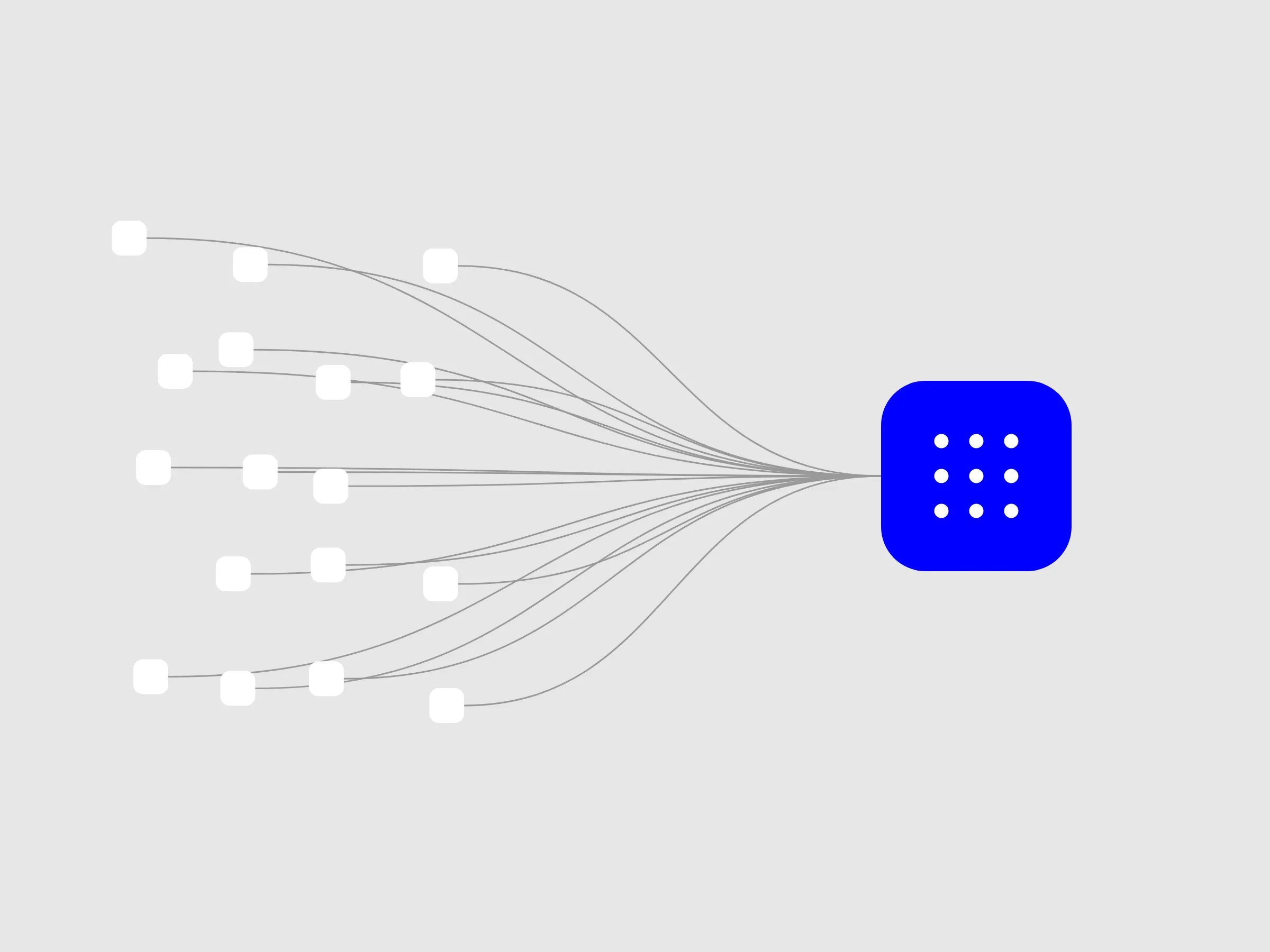
Most shadow AI starts because a general tool does not know the company, so people feed it the company one paste at a time. A Company Brain removes that reason. It is one place that holds how your company works (clients, documents, rules, and decisions), and staff and AI agents ask it directly. The context is already there, inside walls you control.
That is the approach Superstate takes. Each client’s Company Brain runs on its own server and is never shared with other clients. The client decides what goes in and who sees it, and every answer shows the page it came from. When the company tool knows the business better than any free chatbot, people stop pasting the business into the free chatbot.
Frequently asked questions
What is shadow AI?
Shadow AI is any AI tool that employees use for work without the company’s approval or knowledge. Examples are a personal chatbot account, an AI browser extension, an AI notetaker that joins calls, or an AI feature switched on inside an approved app. The risk is that company data goes to places the company does not control.
How much does shadow AI cost a business?
IBM’s 2025 Cost of a Data Breach research found that organizations with high levels of shadow AI paid an average of $670,000 more per breach than those with a low level or none. One in five organizations in the study reported a breach due to shadow AI.
Should we ban AI tools to stop shadow AI?
No. A ban removes the visible use and leaves the hidden use. People move to personal phones and home laptops, where the company sees nothing. A sanctioned tool that is as fast as the free one, plus a short set of data rules, reduces the risk far more.
How do we find out which AI tools our employees use?
Ask first, with a no-blame survey. Then check card and expense statements for AI subscriptions, the apps that staff have connected to company accounts through single sign-on or OAuth, installed browser extensions, meeting bots in calendars, and the AI settings in the software you already pay for.
Is shadow AI only a problem for large companies?
No. Small and mid-sized companies are often more exposed, because they rarely have a security team or data loss prevention tools. If your staff use a browser, some of them almost certainly use AI tools that nobody approved.

Want to know more about what we do? Visit the Superstate website.